


 Cinnamon Spices
See it in action
What it does
Fetches images via Peapix API — Bing's endpoint is never contacted. Your IP stays private.
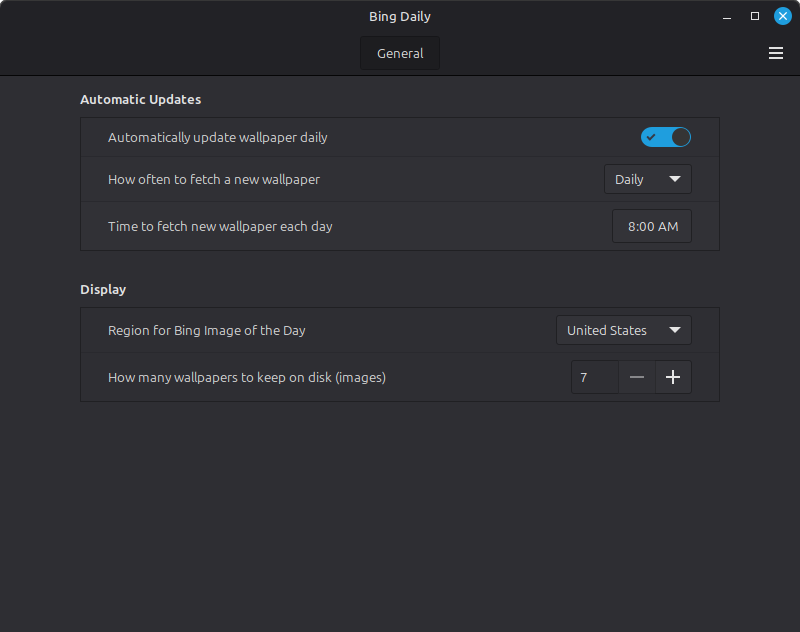
systemd timer fetches the new image every morning at your chosen time. No cron, no polling.
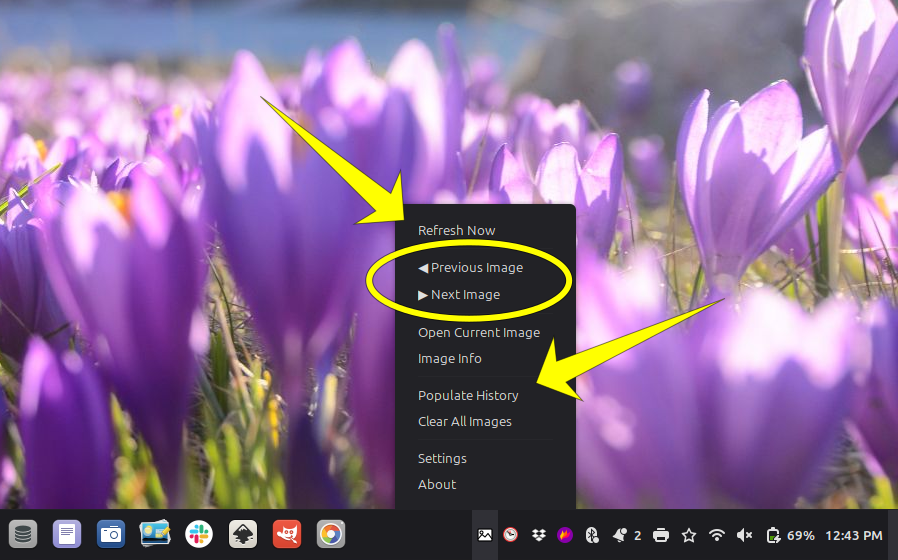
Browse back through past wallpapers with ◀ Previous and ▶ Next from the panel menu.
Pick your country to get culturally relevant images — US, UK, Japan, India, and more.
MD5 hash comparison ensures the same image is never saved twice, even if Peapix serves it on consecutive days.
Works on Linux Mint 21.x and 22.x without modification. No Soup2/Soup3 compatibility headaches.
Python stdlib only — no pip, no npm, no build step. If you have Linux Mint, you have everything you need.
Common Questions
No. All image fetching goes through the Peapix API (peapix.com/bing/feed). The Bing endpoint (bing.com) is never contacted. Your IP address is never sent to Microsoft.
Linux Mint 21.x (Cinnamon 5.x) and Linux Mint 22.x (Cinnamon 6.x) are officially supported and tested. It should work on any distro running Cinnamon with Python 3 and systemd — but those two are the primary targets.
Each wallpaper is roughly 200–400KB. The default history limit is 30 images — about 10–12MB total. You can set the limit anywhere from 7 to 90 images in settings. Old images are automatically deleted when the limit is reached.
It fails gracefully — the error is logged to ~/.cache/bing-daily/log.txt and the current wallpaper stays in place. The systemd timer has Persistent=true, so it will retry the next time it fires. Just hit Refresh Now from the panel menu once you're back online.
Yes. The Python engine runs standalone from any terminal: python3 bing_engine.py refresh. You can also use it with cron or any scheduler on any distro that uses gsettings to manage the desktop background.
Run three commands and it's gone — no traces left on your system:
systemctl --user disable --now bing-daily.timer
rm -rf ~/.local/share/cinnamon/applets/[email protected]
rm -rf ~/.cache/bing-daily